
The FormSlug add-on
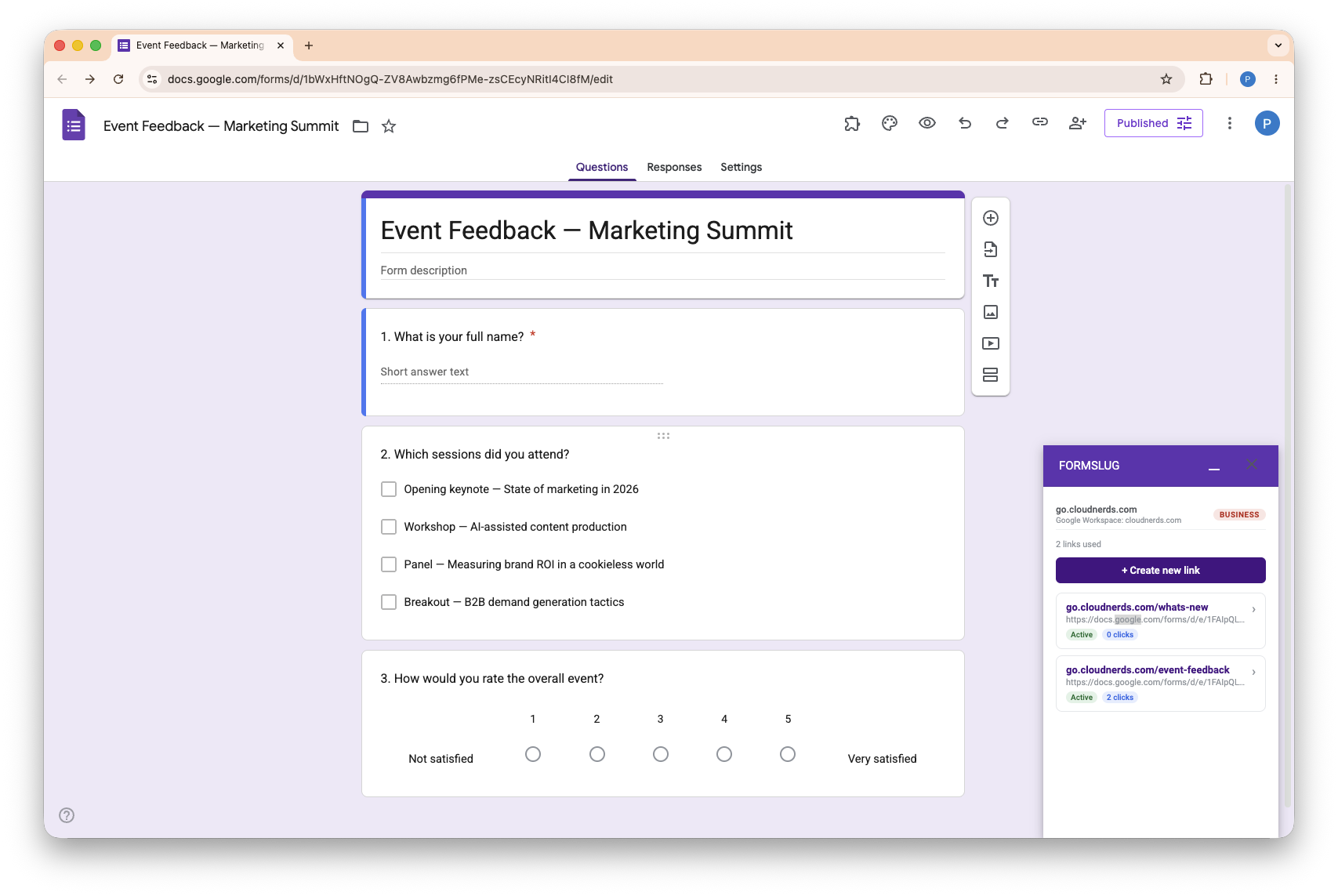
The FormSlug add-on is a sidebar that runs inside the Google Forms editor. It’s where you create new slugs (short links for your forms) and manage existing ones — without leaving Forms.
What the add-on does
Section titled “What the add-on does”- Create a new slug for the form you’re editing — pick a name, set a label, copy the resulting short URL.
- See all your slugs in the workspace and their click counts.
- Edit destinations of slugs you can manage (Pro and above).
- Delete slugs you no longer need.
- Connect a custom domain so slugs use
go.yourcompany.cominstead of the shared domain. - Upgrade your plan when you hit the Free-plan limit.
For deeper administration — managing teammates, viewing 30-day analytics, billing — open the FormSlug dashboard.
Install the add-on
Section titled “Install the add-on”If you haven’t installed the FormSlug add-on yet, follow Sign in & install the add-on.
Open the add-on inside Google Forms
Section titled “Open the add-on inside Google Forms”- Open the Google Form you want to share.
- In the toolbar, click the Add-ons (puzzle-piece) icon.
- Choose FormSlug from the menu. The sidebar opens on the right.
The first time you open the sidebar, you go through a short onboarding: pick the domain your links will use, then create your first slug. Returning users see their list of slugs straight away.
Status banners
Section titled “Status banners”The add-on shows a banner across the top when something needs attention:
- Payment processing — your SEPA payment is being processed (3–5 business days). Your plan activates when payment confirms.
- Payment failed — Stripe couldn’t charge your card. Click Retry payment → to open the Stripe customer portal.
- Trial ending soon — your 14-day free trial is about to end.
- Subscription cancelled — you’ve cancelled but are in the grace period. Click Resubscribe → to reactivate.
- Workspace suspended — your workspace has been suspended; click Contact support to resolve.
What’s next
Section titled “What’s next”- Create a link — turn the open form into a short URL.
- My links — view, edit, delete the slugs in your workspace.
- Connect a custom domain — use your own domain.
- Upgrade your plan — unlock unlimited slugs and a custom domain.