
Welcome to FormSlug
FormSlug turns long Google Forms URLs into short, branded links you can share by email, in a Slack message, on a flyer, or as a QR code. Instead of https://docs.google.com/forms/d/e/1FAIpQ.../viewform, you share go.formslug.com/feedback — or, on paid plans, go.yourcompany.com/feedback.
Who FormSlug is for
Section titled “Who FormSlug is for”FormSlug is built for teams who already use Google Workspace and Google Forms for surveys, signups, feedback, registrations, and internal requests. You’ll get the most out of it if you:
- Share the same form across multiple channels and want one tidy link.
- Need to update where a link points without re-sharing the URL.
- Want to see how many people are clicking each link.
- Work as a team and need to manage links together.
What you can do
Section titled “What you can do”- Create branded short links for any Google Form, straight from the Forms editor.
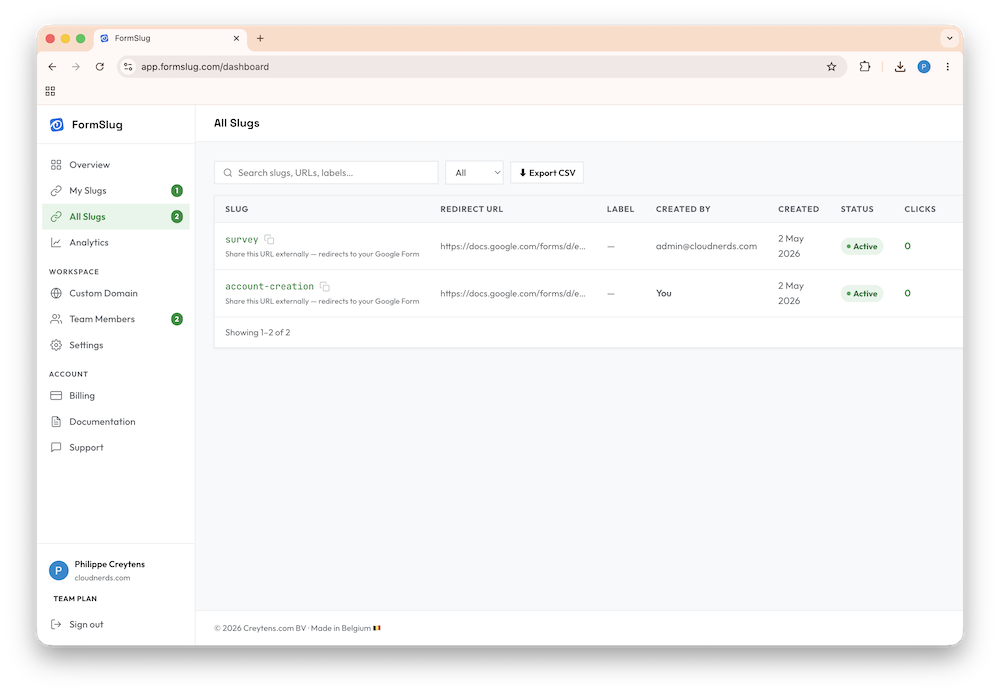
- Manage all your slugs from one dashboard — edit destinations, pause links, label them, search.
- Use your own domain so links read
go.yourcompany.com/...instead of the shared domain. - Invite teammates from your Google Workspace and assign roles.
- Track clicks per slug and over time.
How FormSlug fits with Google Workspace
Section titled “How FormSlug fits with Google Workspace”FormSlug is tightly integrated with Google Workspace:
- You sign in with your Google Workspace account (custom domain). Personal
@gmail.comaccounts aren’t supported. - A workspace in FormSlug maps one-to-one to your Google Workspace domain. Everyone on your domain who uses FormSlug ends up in the same workspace.
- Slugs are created from a Google Workspace add-on that lives inside the Google Forms editor.
Next step
Section titled “Next step”Head to Sign in & install the add-on to get set up.