
Campaign tracking (UTM)
A campaign in FormSlug is a set of UTM parameters attached to one of your slugs. When a visitor follows the slug, FormSlug appends those parameters to the Google Forms destination URL — so your downstream analytics tool (Google Analytics, Fathom, Plausible, a spreadsheet that reads the form responses, etc.) can attribute the click to a specific source, medium, or campaign.
How it works
Section titled “How it works”A slug like go.yourdomain.com/hiring normally redirects to your Google Form unchanged. Once you attach campaign UTMs — say utm_source=linkedin, utm_medium=social, utm_campaign=q3-hiring — the redirect target becomes:
The short URL you share stays the same. The UTMs are only visible in the destination URL after the redirect.
Open the Campaigns modal
Section titled “Open the Campaigns modal”- Open the FormSlug dashboard and go to My slugs.
- Find the slug you want to track and click the Campaigns action.
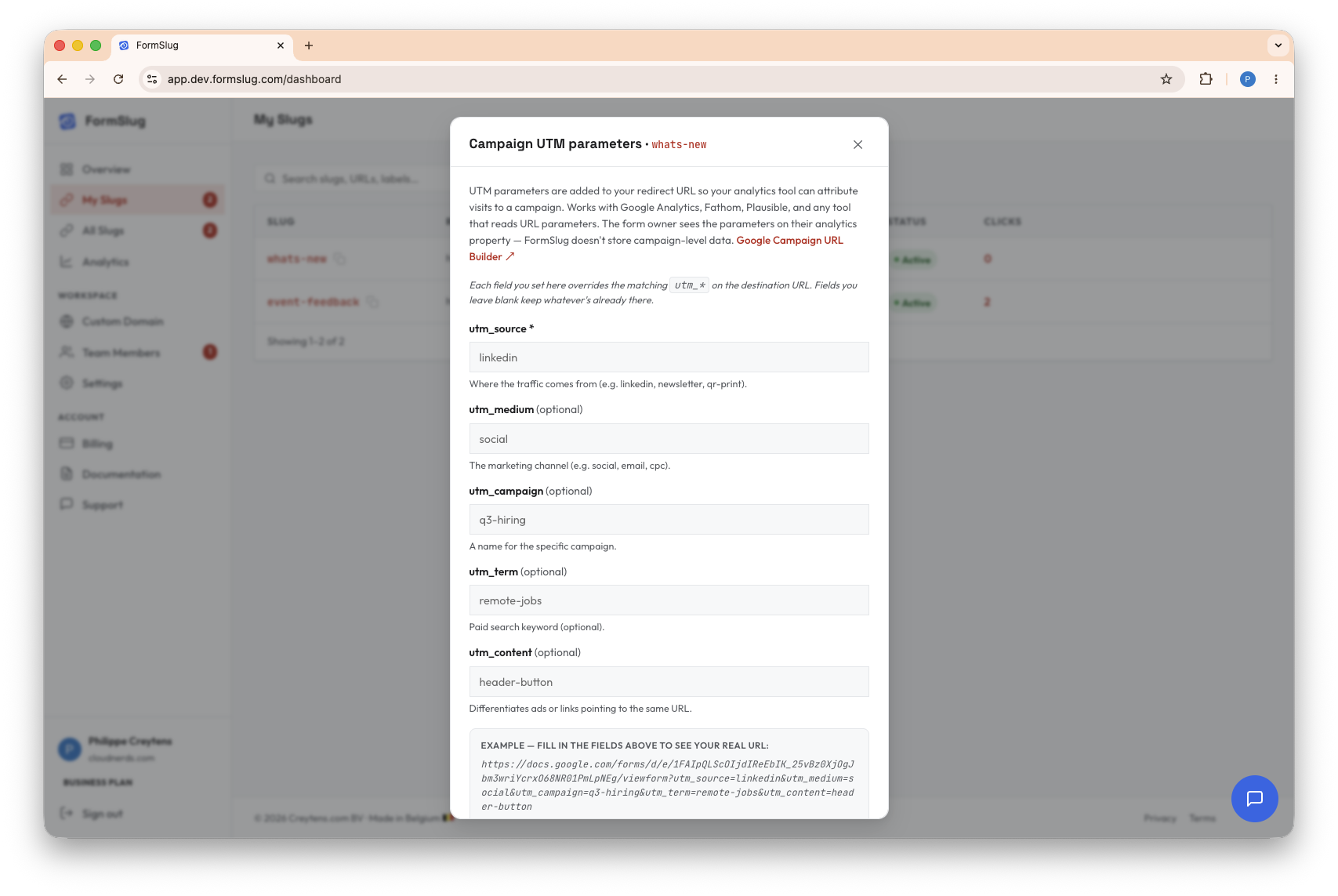
- The Campaigns modal opens. Fill in the fields you want and click Save.
 :::
:::
The five fields
Section titled “The five fields”You can set any combination of these. utm_source is required when campaign tracking is enabled on a slug; the others are optional.
| Field | Purpose | Example |
|---|---|---|
utm_source ★ required | Where the traffic comes from. | linkedin, newsletter, qr-print |
utm_medium | The marketing channel. | social, email, cpc |
utm_campaign | A name for the specific campaign. | q3-hiring, spring-launch |
utm_term | Paid-search keyword. | remote-jobs |
utm_content | Differentiates ads or links pointing to the same URL. | header-button, footer-link |
Each value can be up to 200 characters. Leading and trailing whitespace is trimmed.
If you’re new to UTM conventions, the Google Campaign URL Builder is a good cheat sheet.
Behavior notes
Section titled “Behavior notes”- Overrides existing UTMs on the destination. If your Google Forms URL already has
utm_source=newsletter, and you setutm_source=linkedinon the slug, the redirect useslinkedin. Anything you don’t set on the slug is left untouched. - The short URL doesn’t change. A visitor who copies
go.formslug.com/hiringfrom one place and shares it elsewhere still sees the same UTMs attached on redirect — the campaign is bound to the slug, not to the link’s location. - Per-slug, not per-workspace. Each slug has its own UTMs. Two slugs pointing at the same form can carry different UTMs — that’s the point.
- Editable any time. Change the values and the next click picks them up. Remove them with Remove UTM params in the modal.
Plan downgrade
Section titled “Plan downgrade”If a Business workspace downgrades to a lower plan, UTM parameters are stripped from all slugs. Slugs keep working, but campaign tracking is disabled until the workspace returns to Business.
What’s next
Section titled “What’s next”- Manage your slugs — pause, rename, or change the destination of a slug.
- Plans & subscription — upgrade to Business to unlock campaign tracking.