
Manage your slugs
Once you’ve created a few slugs, the My slugs view in the dashboard is where you’ll spend most of your time. It lists every slug in your workspace, with its destination, label, status, and click count.
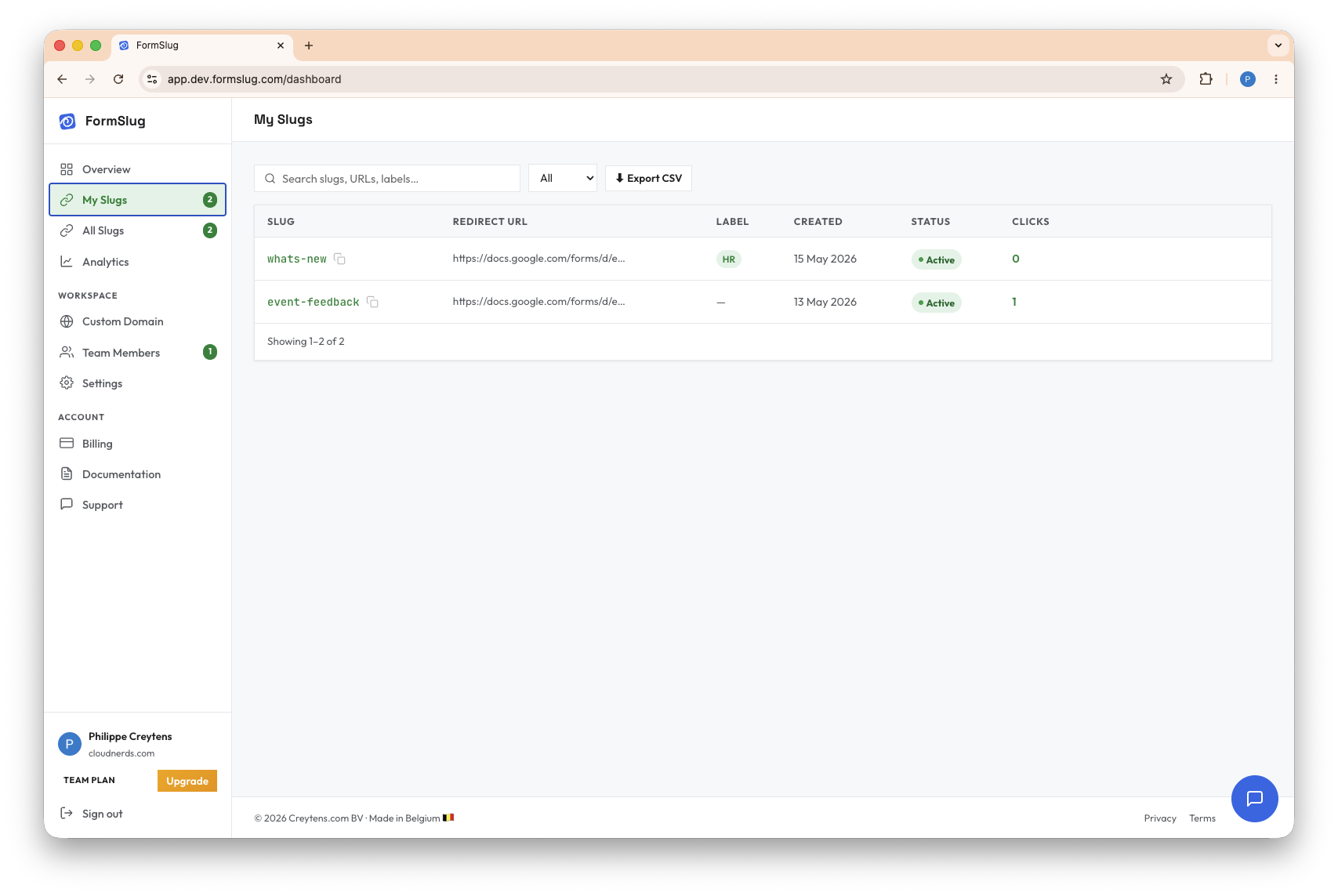
Open the My slugs view
Section titled “Open the My slugs view”- Open the FormSlug dashboard.
- In the left sidebar, click My slugs.
You can search by slug name or label using the search box above the table, and filter by status (active / paused).
Copy a slug link
Section titled “Copy a slug link”Click the Copy icon next to any slug to copy its full short URL to your clipboard. The same icon is available inside the edit modal.
Edit a slug
Section titled “Edit a slug”You can change a slug’s destination URL or label without changing the short URL itself — handy when a form moves or gets replaced.
- In the My slugs table, click the Edit (pencil) icon next to the slug.
- Update the destination URL. It must be a valid Google Forms URL.
- (Optional) Update the label.
- Click Save.
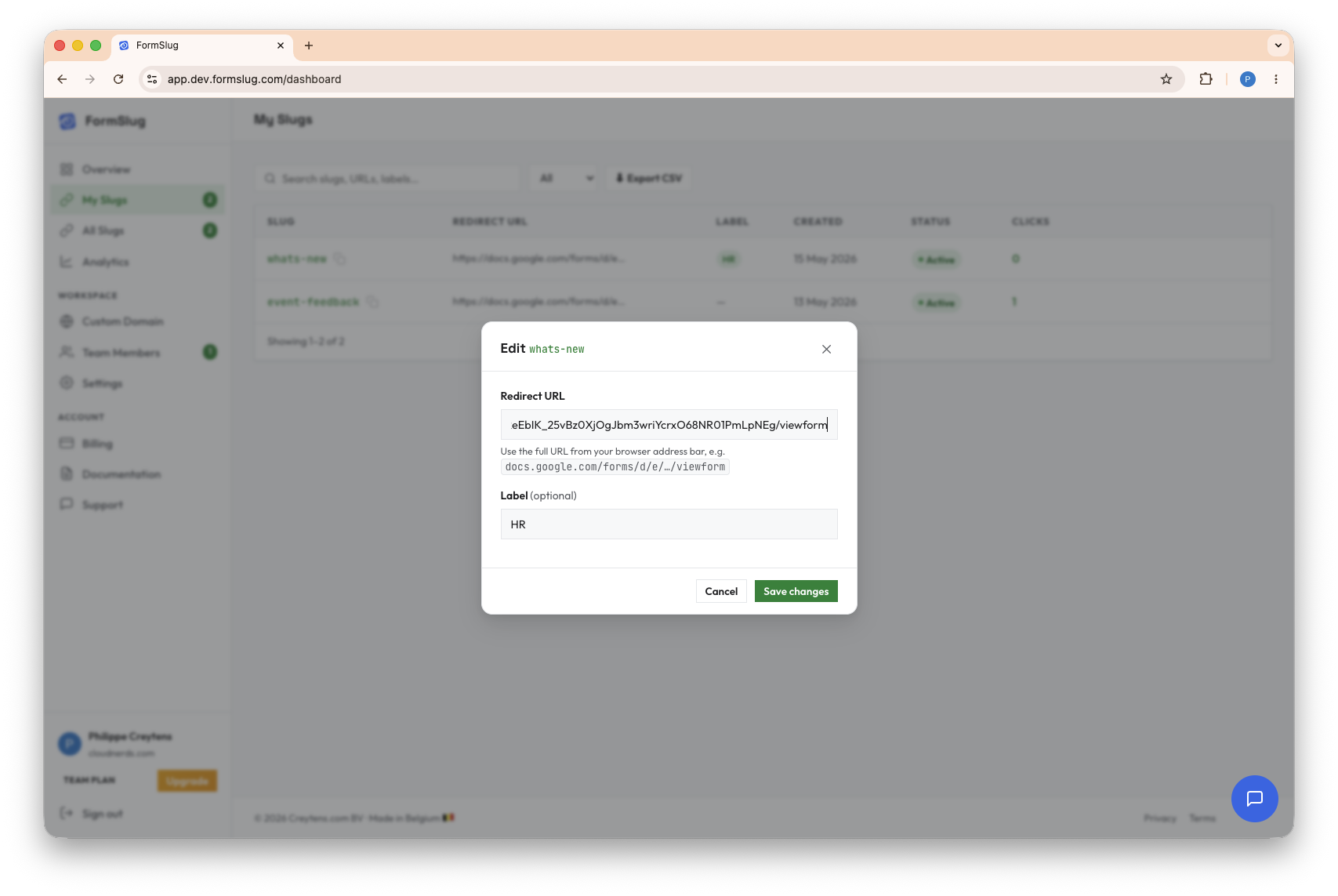
The next click on the slug will redirect to the new destination immediately. Anyone who has the short URL bookmarked or printed doesn’t need to update anything.
Pause and resume a slug
Section titled “Pause and resume a slug”Pausing a slug stops it from redirecting — visitors see a “this link is paused” page instead. The slug is still in your workspace and still counts toward your slug limit, so you can resume it later without re-sharing the URL.
- In the My slugs table, click the Status toggle (or Pause / Resume action) next to the slug.
- Confirm the change.
Delete a slug
Section titled “Delete a slug”Deleting a slug permanently frees up the short URL — someone else (in your workspace or anywhere on the shared domain) can claim that slug name later.
- In the My slugs table, click the Delete (trash) icon next to the slug.
- Confirm in the modal.
Export slugs to CSV
Section titled “Export slugs to CSV”Export every slug in the table — with its short URL, label, status, and click count — as a CSV file you can open in Sheets or Excel.
- In the My slugs view, click Export CSV above the table.
- The file downloads to your computer.
The export respects your current search and filter, so you can export just paused slugs, or just slugs that match a label.
What’s next
Section titled “What’s next”- See Analytics for per-slug click trends over time.
- If you’re hitting the Free plan’s 5-slug limit, see Plans & subscription.